Posted on 14 Comments

Download the ThinkOrSwim Platform by Schwab for Windows, Mac OS, and Linux

download the thinkorswim platform for windows

Download the ThinkOrSwim Platform

I’ve noticed before that sometimes Schwab makes it really hard to find where to download ThinkOrSwim. I can’t tell you how many times I’ve been at a new computer somewhere, wanting to trade or program something, and had to go search around the ThinkOrSwim website for what seems like a completely unreasonable amount of time to find the download link. So I finally decided to help myself and my fellow swimmers out by posting the direct links here on an easy-to-access page that can be easily bookmarked too, if needed frequently. So without further ado, here are the ThinkOrSwim download links:

Main page: https://www.schwab.com/trading/thinkorswim/download

Windows 11 or later: https://tosmediaserver.schwab.com/installer/InstFiles/thinkorswim_x64_installer.exe

Mac OS: https://tosmediaserver.schwab.com/installer/InstFiles/thinkorswim_installer.dmg

Linux: https://tosmediaserver.schwab.com/installer/InstFiles/thinkorswim_installer.sh

All other OS users: https://tosmediaserver.schwab.com/installer/InstFiles/thinkorswim.zip

Once you complete the download and launch the installer, here’s a quick final thought on installation options. If it makes sense in your situation, I would definitely suggest choosing the option to “install for all users,” especially if you plan to share or install any thinkScripts in the future. The ThinkOrSwim platform’s sharing links don’t really work as well unless the platform is installed for all users of the computer.
Posted on

Reclimb Indicator & Custom Quote Column for ThinkOrSwim

pullback and reclimb indicator lower study line graph

Reclimb Indicator for ThinkOrSwim

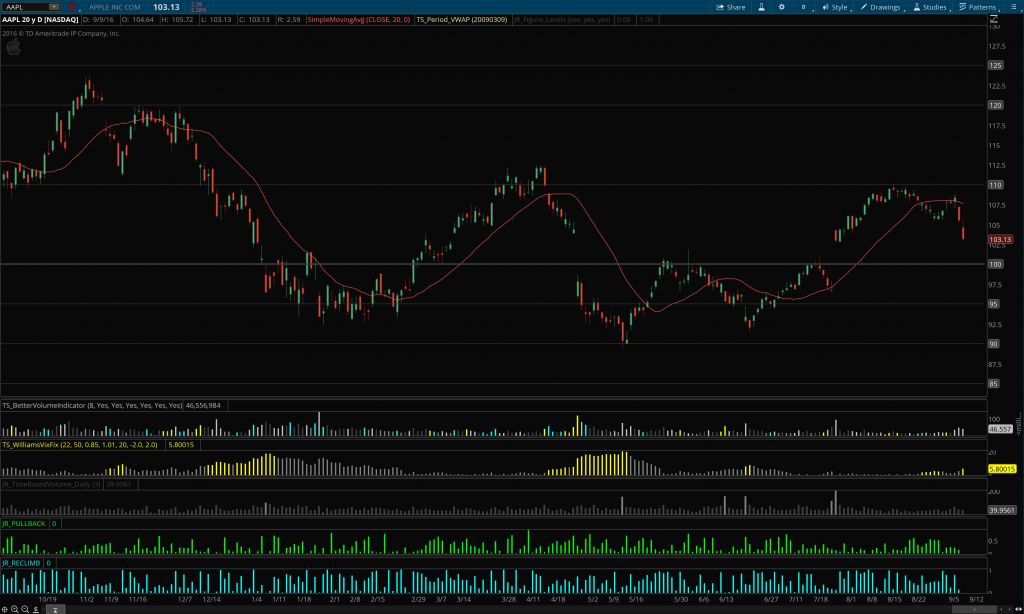
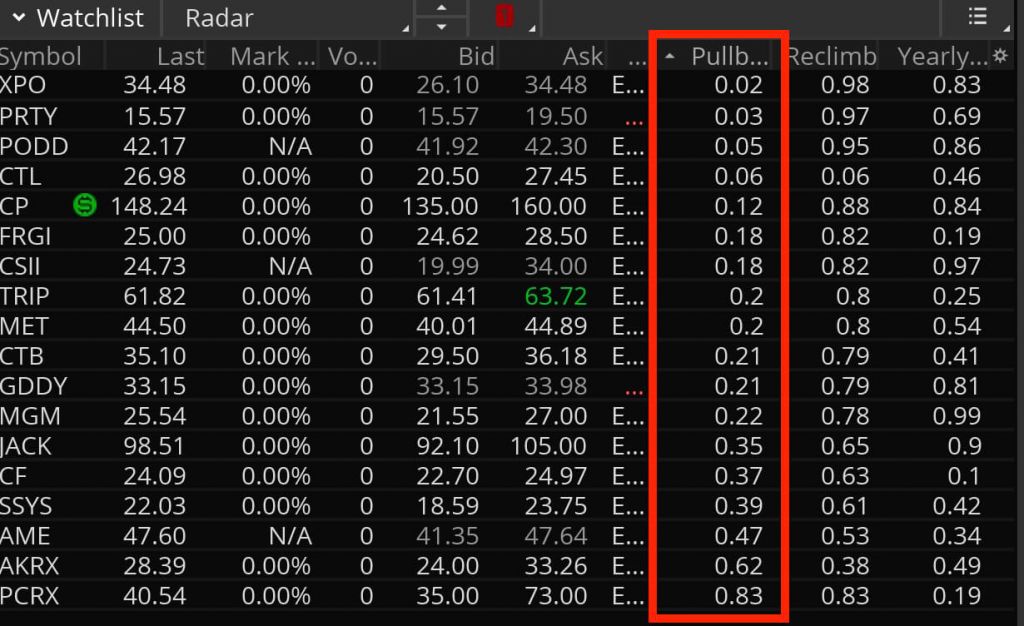
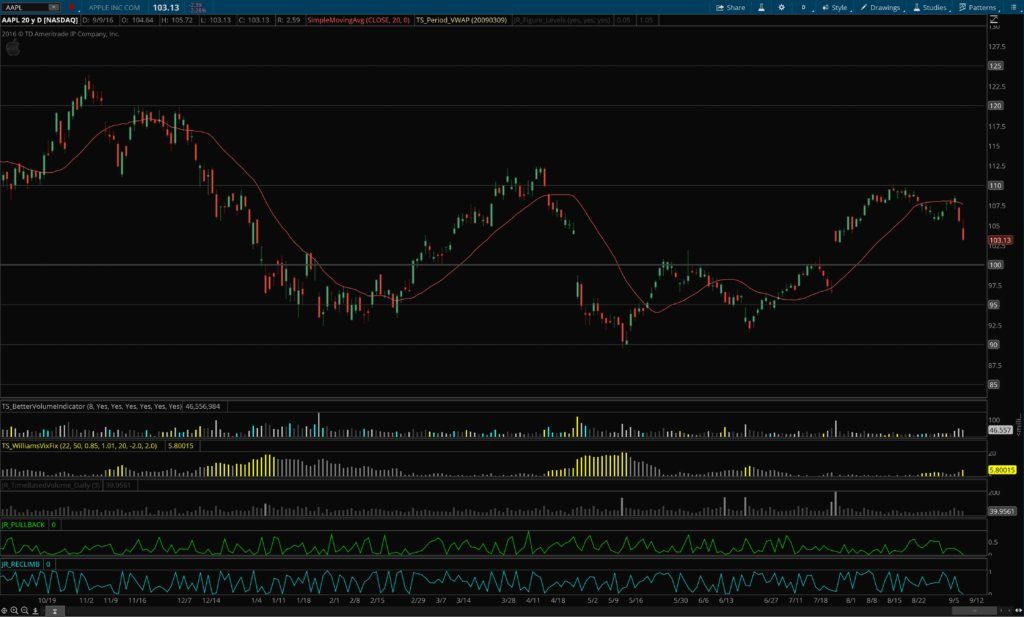
The reclimb indicator for ThinkOrSwim shows you how far a stock has retraced its daily range so far. Reclimb is defined as the amount of the daily range that has been recovered after making a new low, expressed as a percent of the day’s total range from high to low. So if a stock opens at 9.50, falls to 9, then makes a high at 10 before falling back to 9.75, then the stock’s Reclimb is .75, or 75% of the daily range of $1 between $9 & $10. The same would be true on a down day, where the stock opens at 9.75, climbs to 10, falls to 9, and then reclimbs to 9.50 — in this case the reclimb is 50% or .5 of the daily range of $1 from 9 to 10.

This indicator can be used either as a lower study on a chart, or as a custom quote column in a watchlist or scan.

daily range reclimb indicator and watchlist column

pullback and reclimb indicator lower study line graph

pullback and reclimb indicator lower study bar graph

pullback and reclimb indicator custom quote column

About Josiah

Hi guys, I’m Josiah, and I’m a trader/programmer from the Nashville, TN area. I recently finished up both a bachelor’s and a master’s degree in Computer Information Systems at a local university and have been self-employed since then, trading and developing projects with Ruby on Rails on the side. Since I was already familiar with a certain amount of programming, and had an active interest in trading and investing, learning ThinkScript — the scripting language for the ThinkOrSwim platform — made a lot of sense, and helped me develop a platform configuration that really streamlined my trading workflow.

About the ThinkScripts

These basically came about because I got so frustrated with the limited built-in capabilities in TOS, and standalone subscription services that charge $99+/month. So I decided to learn ThinkScript so I could develop indicators and scans for myself. I still use most of these thinkscripts every day while trading.

Questions?

Email me here or leave a comment below!

Posted on

Pullback Indicator & Custom Watchlist Quote Column for ThinkOrSwim

pullback and reclimb lower study bar graph

Pullback Indicator for ThinkOrSwim

The Pullback Indicator defines how much a stock has retraced off of its low or high (depending on if it’s an up day or down day). The retracement is expressed in terms of a percent of the stock’s total movement for the day. So if it opens at 9.75, reaches a high at 10, then a low at 9, before climbing back up to 9.50 to close, then the retracement off the low of $0.50 is 1/2 the daily range of $1, or a 50% pullback from the extreme of the move (a reading of .5 on the indicator). The reverse would be true if it were an up day: the retracement would be the percent of the daily range that it has pulled back from the high, which on an up day is considered the extreme of the move.

This indicator can be used either as a lower study on a chart, or as a custom quote column in a watchlist or scan.

pullback indicator & watchlist column for thinkorswim

pullback indicator and reclimb custom quote column

pullback indicator and reclimb lower study line graph

pullback indicator and reclimb lower study bar graph

About Josiah

Hi guys, I’m Josiah, and I’m a trader/programmer from the Nashville, TN area. I recently finished up both a bachelor’s and a master’s degree in Computer Information Systems at a local university and have been self-employed since then, trading and developing projects with Ruby on Rails on the side. Since I was already familiar with a certain amount of programming, and had an active interest in trading and investing, learning ThinkScript — the scripting language for the ThinkOrSwim platform — made a lot of sense, and helped me develop a platform configuration that really streamlined my trading workflow.

About the ThinkScripts

These basically came about because I got so frustrated with the limited built-in capabilities in TOS, and standalone subscription services that charge $99+/month. So I decided to learn ThinkScript so I could develop indicators and scans for myself. I still use most of these thinkscripts every day while trading.

Questions?

Email me here or leave a comment below!